LinkedIn is no longer just a place to upload your resume. In India, professionals, freelancers, business owners, and job seekers are using LinkedIn to build their personal brands, generate leads, and land high-paying opportunities.
Whether you’re creating an eye-catching profile, posting content, or finding potential clients, knowing the right tools and dimensions can make a huge difference.
we’ll cover:
- Best AI prompts for LinkedIn profile pictures
- LinkedIn post size and video dimensions
- Best Chrome extensions for LinkedIn premium features
- How to find emails of leads using LinkedIn email finder tools like SpyLead
Best AI Prompts for LinkedIn Profile Picture
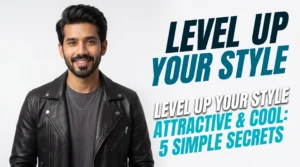
Your profile picture is the first thing people notice on LinkedIn. Studies show that profiles with professional photos receive significantly more connection requests and profile views.
Thanks to AI image generators, you can now create studio-quality LinkedIn headshots without hiring a photographer.
Prompt 1
High-end executive portrait. Wearing a dark charcoal suit. Dramatic side lighting with a subtle rim light to separate from the background. Dark textured abstract background. Serious but confident expression. Cinematic quality, 8k resolution, detailed texture.

Prompt 2
Hyper-realistic 8K editorial frame. Studio setting with soft ambient light. Male model in oversized sweater and loose jeans. Pose: lying back in an armchair, torso angled, one leg over the side, arms resting loosely; head tilted slightly toward camera. Expression: subtle smirk or relaxed neutral expression. Vibe: effortless, stylish, masculine. Lighting: soft key light from the side, gradient shadows. Shot on 35mm lens. –serf 3146691152

Prompt 3
A realistic studio portrait of a man sitting confidently on a modern black chair. He wears a clean, all-black formal outfit consisting of a well-fitted black blazer, black shirt, and black tailored trousers. He completes the look with black leather ankle boots, giving a sharp, minimal, and professional appearance. He sits with a calm, confident posture-one hand resting thoughtfully against his face while the other hand hangs relaxed between his legs. His expression is serious and focused, conveying quiet confidence. Soft studio lighting evenly lights the subject, creating gentle highlights and smooth shadows without harsh contrast. The background is a plain white studio backdrop with soft natural shadows for subtle depth. Shot at eye level with a professional full-frame camera, full-body framing, centered composition. The image is sharp and clean with natural skin texture and realistic fabric detail. No filters, no stylization, and no facial changes. High-resolution, simple, professional fashion photography look.

Prompt 4
For Men
Create a professional LinkedIn profile photo for a man. Wearing a dark navy business suit, crisp white shirt, and a subtle silk tie. Clean light gray studio background. Confident, approachable smile. High resolution, sharp focus, professional studio lighting, 8k quality.
For Women
Create a professional LinkedIn profile photo for a woman. Wearing a tailored black business blazer and a professional blouse. Soft natural makeup. Clean white studio background. Friendly and confident expression, looking directly at the camera. Soft cinematic lighting, high quality, photorealistic.

Prompt 5
Professional portrait with a solid vibrant Red background (or change color to match your brand). Minimalist composition. Wearing a simple black t-shirt or turtleneck. Even studio lighting. Sharp focus on eyes. Modern and clean aesthetic.

Prompt 5
Keynote speaker portrait. Wearing a casual blazer and t-shirt. Dark background with subtle stage lighting effects (blue and purple rim lights). Confident posture. Looking slightly off-camera or directly at the lens. High-tech, professional atmosphere.
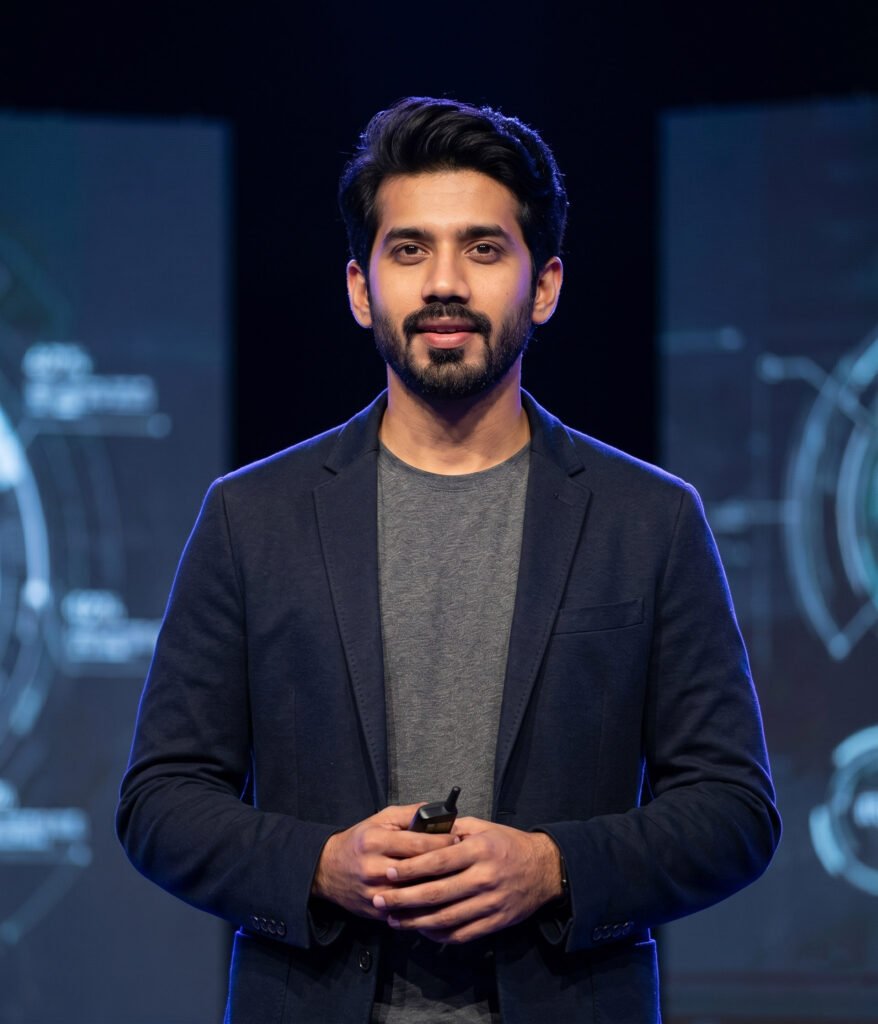
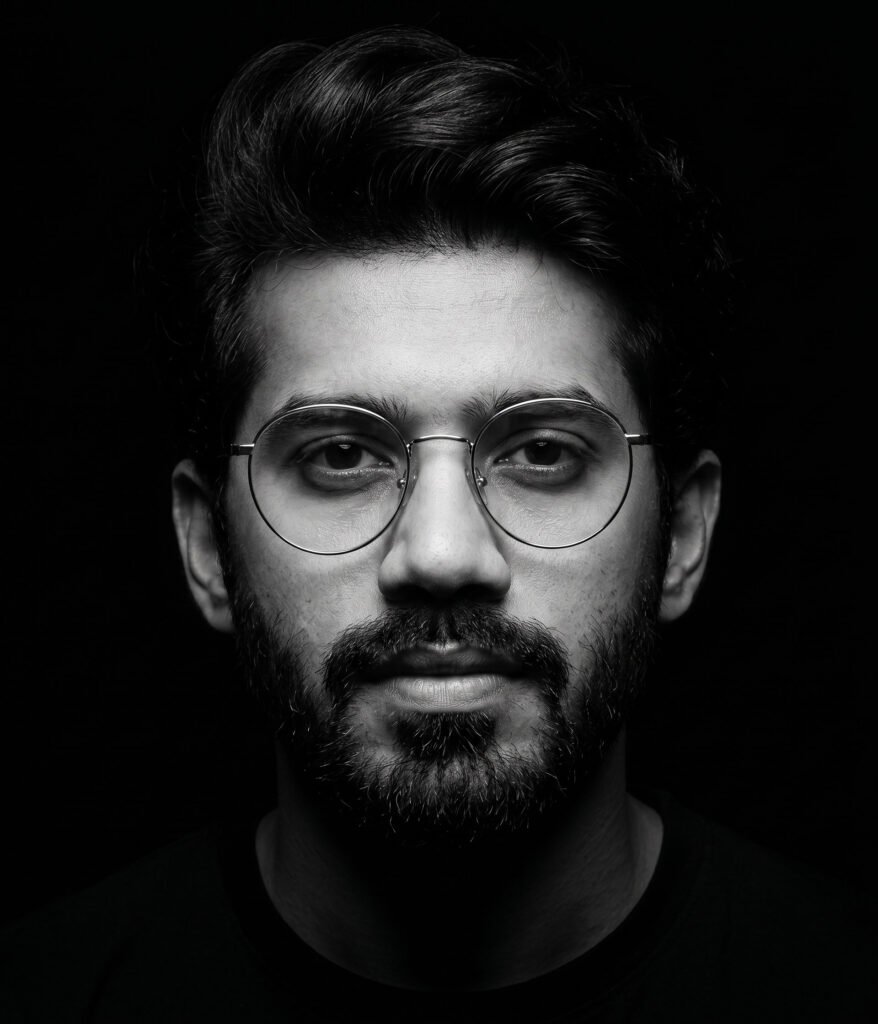
Prompt 6
A high-contrast, black and white studio portrait of a person facing directly
forward against a solid pitch-black background. The subject is wearing
round, thin-rimmed glasses. The lighting is dramatic and moody, utilizing a
spotlight effect to highlight the center of the frame while the edges fade into
shadow. Use exactly the provided face, keeping the hair, facial details, and
skin tone unchanged.
You can you use vinlyee webtools like image resizer or basic image editor to optimize you image according to perfect dimensions.
LinkedIn Post Size and Video Size Guide
Using the correct dimensions ensures your content looks professional and performs better on both desktop and mobile devices.
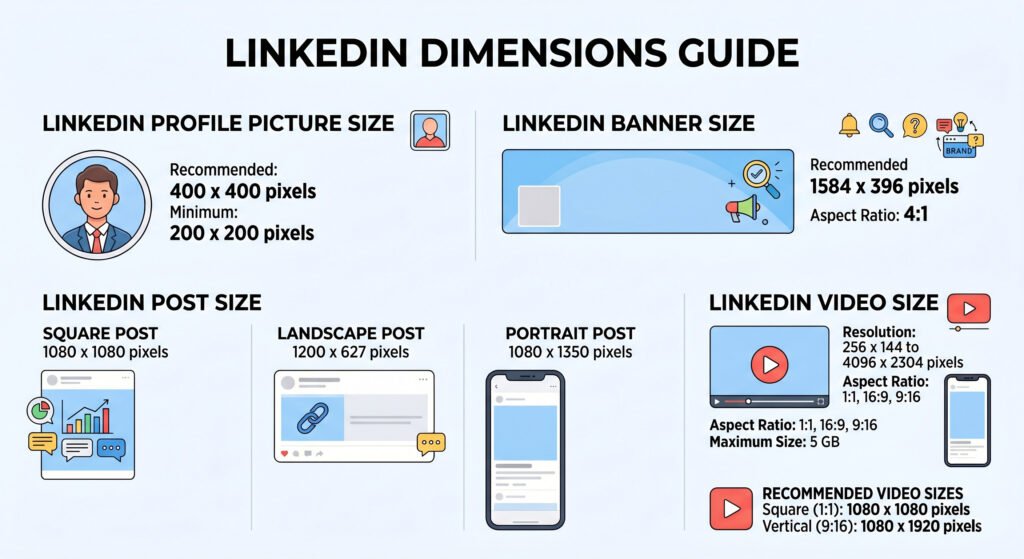
LinkedIn Profile Picture Size
- Recommended Size: 400 x 400 pixels
- Minimum Size: 200 x 200 pixels
- File Type: JPG or PNG
- Maximum File Size: 8 MB
A square, high-resolution image works best.
LinkedIn Banner Size
- Recommended Size: 1584 x 396 pixels
- Aspect Ratio: 4:1
- Maximum File Size: 8 MB
Your banner should communicate your profession, business, or personal brand.
LinkedIn Post Size
Square Post
- Size: 1080 x 1080 pixels
Perfect for:
- Infographics
- Quotes
- Educational content
- Carousels
Landscape Post
- Size: 1200 x 627 pixels
Perfect for:
- Blog promotions
- Website links
- Company announcements
Portrait Post
- Size: 1080 x 1350 pixels
This format often performs well because it occupies more screen space on mobile devices.
LinkedIn Video Size
- Resolution: 256 x 144 to 4096 x 2304 pixels
- Aspect Ratio:
- 1:1
- 16:9
- 9:16
- Maximum Size: 5 GB
- Duration: 3 seconds to 10 minutes
For the best results, use:
- 1080 x 1080 pixels for square videos.
- 1080 x 1920 pixels for vertical videos.
5 Best Chrome Extensions for LinkedIn Premium Features
You don’t always need an expensive LinkedIn Premium subscription. Several Chrome extensions can help you generate leads, automate tasks, and improve your LinkedIn strategy.
1. LinkedIn Email Finder – SpyLead
If you’re doing B2B outreach, email marketing, or lead generation, finding verified business emails can save countless hours.
Features:
- Finds professional email addresses.
- Extracts lead information.
- Helps build prospect lists.
- Great for agencies and freelancers.
This makes a powerful LinkedIn email finder SpyLead alternative for sales professionals and marketers in India.
Best for: Sales teams, freelancers, agencies, and recruiters.
2. Personalized Messages and Automated Follow-Ups
Following up manually with hundreds of connections can become overwhelming.
This extension helps:
- Send personalized outreach messages.
- Automate follow-up sequences.
- Improve response rates.
- Save time on networking.
Best for: Lead generation and business development professionals.
3. Job Search Automation Tool
Job hunting on LinkedIn can be repetitive.
This extension helps you:
- Auto-fill applications.
- Track job applications.
- Organize interviews.
- Save significant time.
Best for: Students and professionals looking for jobs in India.
4. LinkedIn Post Analytics Tool
Understanding what content performs well is crucial for personal branding.
This extension provides:
- Post engagement analysis.
- Audience insights.
- Performance tracking.
- Better content strategy decisions.
Best for: Content creators and LinkedIn influencers.
5. AI Writing Assistant for LinkedIn
An AI writing assistant can help you:
- Create engaging posts.
- Improve grammar.
- Generate content ideas.
- Write better comments and messages.
Best for: Professionals who want to build a personal brand consistently.
Important Tip: Avoid Risky LinkedIn Automation Tools
PLEASEEEEE avoid using tools like PhantomBuster or Lempod.
Many users have reported account restrictions and temporary bans after excessive automation activity. LinkedIn actively monitors suspicious behavior, and aggressive automation tools can put your account at risk.
Instead, use tools that focus on productivity, analytics, and ethical outreach.
Final Thoughts
LinkedIn is becoming one of the most powerful platforms for professionals and businesses in India. A professional profile picture, properly sized posts, and the right productivity extensions can significantly improve your visibility and opportunities.
To summarize:
✅ Use AI prompts to create professional LinkedIn headshots.
✅ Follow the correct LinkedIn post size and video dimensions.
✅ Use safe Chrome extensions to find leads, automate workflows, and improve productivity.
✅ Try tools like LinkedIn Email Finder SpyLead to simplify lead generation.
Building a strong LinkedIn presence doesn’t require a huge budget—just the right strategy and the right tools. Start optimizing your profile today and turn LinkedIn into your personal growth engine.