

Photo Resizer
Source
-
Target
-
Settings
Canvas Setup
Specs are commonly cited values — always confirm against the current official portal before submitting.
Image Control
The Ultimate Client-Side Photo Resizer
Need a fast, secure, and highly customizable way to adjust your images? Our advanced Photo Resizer is engineered to provide professional-grade image manipulation directly in your browser using standard web technologies like the canvas api Whether you are preparing images for high-resolution printing, optimizing graphics for a website, or formatting specific documents for government applications, our tool offers unparalleled control without compromising your privacy.
Why Choose Our Image Resizer?
Exact Dimensions, Not “Small / Medium / Large”
Type in the precise width and height a form, site, or app actually asks for — a passport photo spec, a banner size, an upload requirement — and get exactly that.
See It Before You Download
Preview the crop and resize before committing, so you’re not downloading five versions to find the one that isn’t awkwardly cut off.
Locks the Ratio (or Lets You Break It)
Keep the aspect ratio locked to avoid a stretched, distorted photo, or unlock it for the rare form that genuinely needs a non-standard shape.
Nothing Gets Uploaded First
The resize happens on your own screen. That matters most for things like ID photos or official documents you’d rather not send to a server.
Free for Every Image, Every Time
One photo for a job application or fifty for a catalog — no per-image charge, no login, no watermark.
How do I actually resize an image?
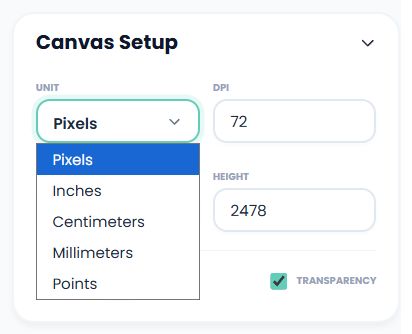
It’s effortless. Just upload your file, pick your unit of measurement (I usually stick to pixels or mm), type in your target size, and hit download. You can adjust the background or tweak the crop in seconds.
What if I’m printing my images?
Screens and physical printers handle resolution very differently. If you are prepping a file for print, I highly recommend you use the DPI (Dots Per Inch) tool. I used it to change my DPI to 300, and my physical prints came out super crisp and professional.
Does this work for Government Portals (PSC, UTI, RRB)?
Yes! Navigating strict bureaucratic requirements used to give me a headache, but this tool makes it simple.
PSC: I found it works perfectly as a Kerala PSC photo resizer—it easily hits that exact 150×200 pixel limit.
UTI (PAN Card): When I was helping out with a PAN card application, I used it as a UTI photo resizer to embed the strict 300 DPI or 600 DPI requirements directly into the file.
RRB: If you are applying for railway exams, it functions as a fully compliant RRB photo resizer to lock in the exact 35mm x 45mm specs you need for signatures and thumbprints.