
Merge And Split PDF
Drop PDF files here
or click to browse
Workspace
0 PagesProcessing...
How to merge multiple PDFs documents
Using our tool is incredibly intuitive. It is designed specifically so that you don’t waste any time figuring out a complicated interface.I always prefer software that feels like an extension of my own desktop, and that is exactly how this workflow operates.
Reorder Before You Merge
Drag files into the sequence you actually want — cover letter, then resume, then certificates — instead of merging blind and hoping it came out right.
Pull Out Exactly the Pages You Need
Split by page or by range, so you can grab page 4 out of a 12-page contract without touching the rest of it.
No Size Limit That Sneaks Up on You
A two-page form or a 40-page report — there’s no arbitrary cutoff that stops working partway through a bigger job.
Your Documents Never Leave Your Device
PDFs often carry sensitive information — IDs, contracts, statements. Because everything processes locally, none of that gets uploaded in the process.
Text Stays Searchable Afterward
The merged or split file keeps its original text layer, so you can still search, copy, and select text — not left with a flattened image of your document.
Why choose vinlyeepro PDF merger and split
With dozens of document manipulators out there on the web, you might wonder what makes this specific tool stand out from the crowd. For me, it all comes down to trust, freedom, and accessibility.
1. 100% Client-Side Processing (Zero Server Uploads) This is arguably the most important feature. Most free online PDF tools require you to upload your files to their remote servers to process the changes, after which you download the newly generated file. This poses a massive security risk, especially if you are handling sensitive personal information, legal contracts, or financial data.
Vinlyeepro’s tool is built entirely on client-side web technologies. This means the tool runs locally inside your web browser. Your files never leave your computer, they are never uploaded to a server, and nobody else can ever see them. If you are curious about why standardizing secure document handling is so important, you can read more about the history and architecture of the Portable Document Format (PDF) on Wikipedia.
2. No Limits, No Sign Up, and Totally Free I personally detest the modern trend of software as a service (SaaS) where basic utilities are locked behind monthly subscriptions. You will never encounter a “premium upgrade” prompt here. There are no restrictive limits on how many files you can upload, no limits on the total file size, and no daily usage caps. You do not have to create an account, verify an email address, or hand over your credit card details. It is a completely free utility, plain and simple.
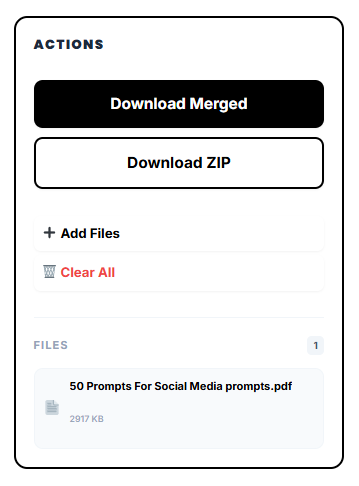
3. Ultimate Formatting Flexibility Whether you want to split and merge pdf file assets into a massive 500-page manuscript or you just want to isolate three key pages, the power is in your hands. You can save those selected elements into a neat little ZIP file in seconds.The visual interface ensures you never have to guess what your final document will look like. What you see on your screen is exactly what will be exported.