
Picture this: you’ve spent twenty minutes getting a headshot just right for a job application in Munich, following every “photos are expected in Germany” rule you could find. You hit submit on the company’s portal. Nothing happens. No confirmation, no error about the photo — just a spinner, then a vague “something went wrong, please try again.”
Nine times out of ten, that’s not bad luck. It’s arithmetic nobody explained to you before you started.
We build browser-based tools for exactly this kind of problem — an ATS Resume Checker, an image compressor, a photo resizer — and the CV photo question is one we keep circling back to, because most advice online answers “should I include one?” reasonably well and then goes quiet on the two things that actually break applications: the exact size, and why a photo that’s technically “allowed” can still sink a submission.
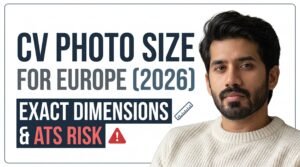
The Exact CV Photo Size (mm, Pixels, and File Size)
For almost every European country, and for the official Europass CV, the standard is 35 × 45 mm (3.5 × 4.5 cm) — the same portrait ratio used on Schengen visa and passport photos. Which is a little confusing the first time you notice it, since a CV photo and a visa photo have completely different rules attached to that identical rectangle. In pixels, 35×45mm works out to 413 × 531 px at 300 DPI. Some online forms want a square crop instead, usually 2 × 2 inches (600 × 600 px), so check the upload field rather than assuming.
Two details most guides skip entirely:
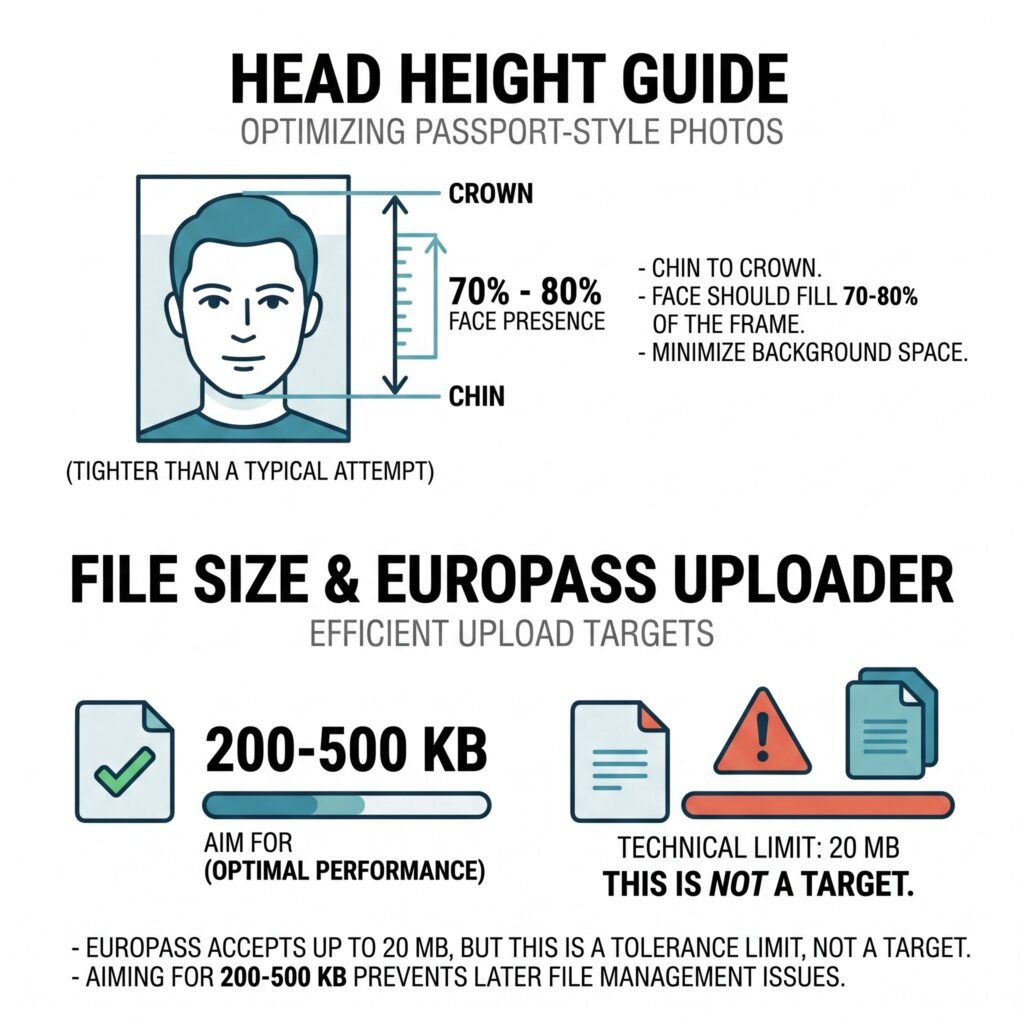
Plain white or light grey background, JPG or PNG. That’s genuinely the whole technical spec. The part that takes longer is deciding whether you need a photo at all.
Do You Even Need One?
Quickly, because it changes how useful the rest of this is to you: a photo is still standard in Germany, Austria, and Spain. Common but fading in France, especially once you’re looking at finance or consulting roles. Optional and increasingly skipped in the Netherlands, Belgium, and the Nordics. In the UK and Ireland, leave it off entirely — it’s treated as a discrimination risk there, not a style choice. Match the country you’re applying to, not the one you happen to live in.
The Part Most CV Advice Gets Wrong
Almost every article on this topic says some version of “ATS software can’t read photos, so leave it off.” It’s not quite true, and building our own ATS Checker’s parsing logic — OCR and regex running entirely in your browser, no server involved — is what made the gap obvious.
A parser doesn’t look at your photo at all. It extracts the text layer from your PDF or DOCX and skips pixels completely. A small headshot sitting in the corner of an otherwise ordinary, single-column CV usually causes zero parsing problems in Greenhouse, Lever, and most current systems.
What actually does the damage is what a photo usually drags in with it: a two-column, sidebar layout, because that’s how nearly every “CV with photo” template gets designed for visual balance. Columns are where stricter parsers — Workday and iCIMS show up constantly in independent parsing tests — genuinely struggle. They read left to right, top to bottom, so a sidebar holding your skills or contact info next to a main column of experience gets flattened into one scrambled block. Your photo isn’t the problem. The layout built around it is.
Want to check your own CV in thirty seconds? Copy all the text out of it and paste it into Notepad or TextEdit. Sections come out in a sensible order — you’re probably fine, photo included. Comes out jumbled — that’s your fix, and it has nothing to do with the headshot.
The File-Size Trap Nobody Mentions
This is the part we haven’t seen written up anywhere else, and it’s the one that actually costs people interviews: file size compounds. A photo straight off a phone, cropped in Word or Canva and never compressed, can easily add 2–4 MB to a CV. Most job portals cap the whole upload somewhere between 2 MB and 5 MB — LinkedIn’s own resume-attachment limit sits right in that range. Go over it, and the portal doesn’t say “your photo’s too big.” It just fails, silently, and you’re left wondering if the internet ate your application.
Building the preset system behind our Photo Resizer — we mapped exact specs for government exam photos across Pakistan, India, and international formats — is what first got us paying attention to this. A headshot doesn’t feel like “data” until it’s the reason your PDF won’t upload.
Fix: export the photo at the size above, run it through an image compressor before placing it in the document, and if the finished CV is still heavy, compress the PDF itself as a last step. Both happen locally in your browser — nothing gets uploaded anywhere just to be resized.
Getting It Right, Step by Step
- Decide if a photo fits the country you’re targeting. Local norm, not a universal rule.
- Crop to 413 × 531 px (600 × 600 px if a portal wants square) with a photo resizer.
- Compress to under roughly 500 KB before it goes anywhere near the CV.
- Keep the layout single-column if you’re applying through a large company’s portal. Save the sidebar version for someone you hand a printed copy to.
- Run the finished file through an ATS checker to see how it actually parses, and if you’re using the Europass template, check our Europass ATS notes too.
Quick Answers
Is a CV photo the same size as a passport photo?
In most of Europe, yes — both 35 × 45 mm. Don’t reuse an actual passport or visa photo, though; those carry stricter biometric rules (exact head position, no glasses, specific lighting) that a CV photo doesn’t need.
What file format should I use?
JPG or PNG, under roughly 500 KB.
Does adding a photo lower my ATS score by itself?
Not directly. It’s the layout decisions that usually ride along with a photo that matter — see above.
Size right, file light, layout simple around the photo, in that order. Get those three correct and the photo question stops being a coin flip.