
You have a link, and you need people to open it from a flyer, a menu, a business card or a shop window. Asking them to type a long address into a phone is where most of them quit. Converting that URL to QR code fixes it: one scan, page open.
Making the code takes twenty seconds. Making one that scans from a real distance, survives a cheap printer and doesn’t die after a free trial takes more care. This guide covers the whole route and the traps most generator pages skip. Keep our free URL to QR code generator open in another tab to follow along.
What happens when you turn a link into a QR code
A QR code is your link written as a grid of small squares called modules. The generator converts the characters into that grid, adds error-correction data and leaves a blank border around it. A phone camera reads the pattern and offers to open the address. With a static code nothing sits on a server, because the URL lives inside the squares.
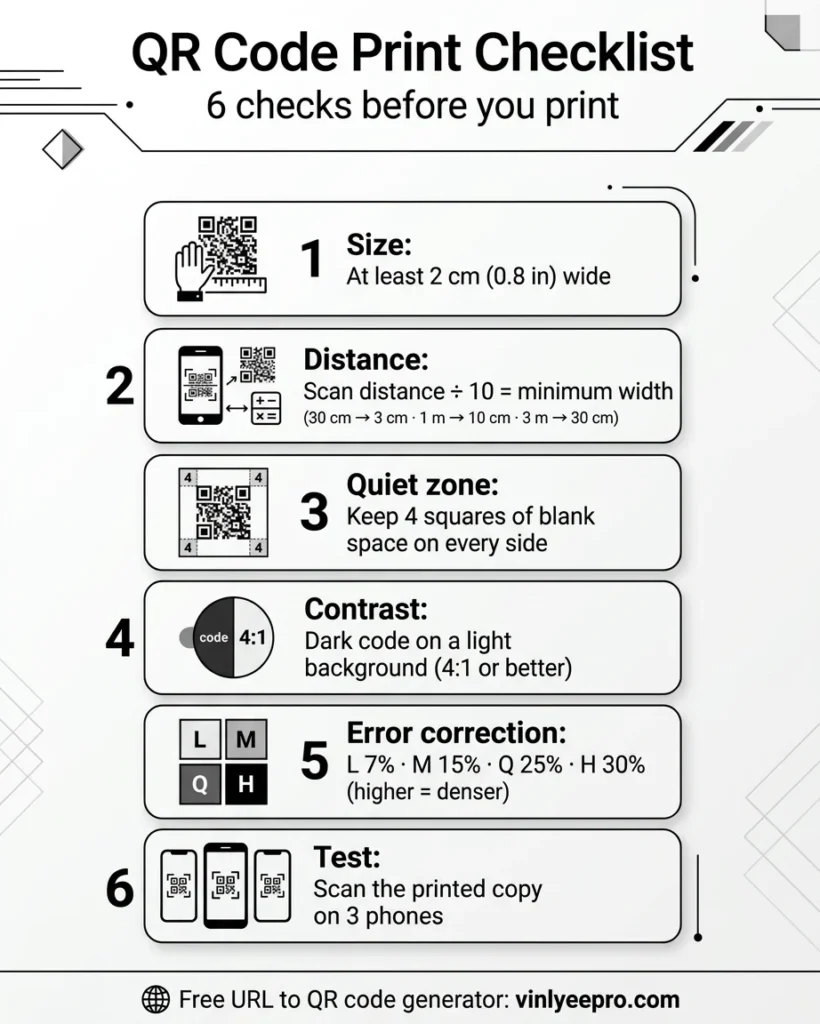
Two limits matter later. Error correction has four levels, L, M, Q and H, which can rebuild about 7%, 15%, 25% and 30% of a damaged code, but each step up adds squares. And even the largest code holds only about 2,953 bytes at the lowest correction level, so a long link becomes a dense, fragile pattern.
How to turn a link into a QR code in five steps
- Open the link first. Paste it into a fresh tab and check that it lands on the exact page you want, over HTTPS, without redirect chains. Open it on your phone too. A scan that ends on a slow page is wasted, and here’s why pages feel slow after an update. The generator will encode whatever you paste, typos included.
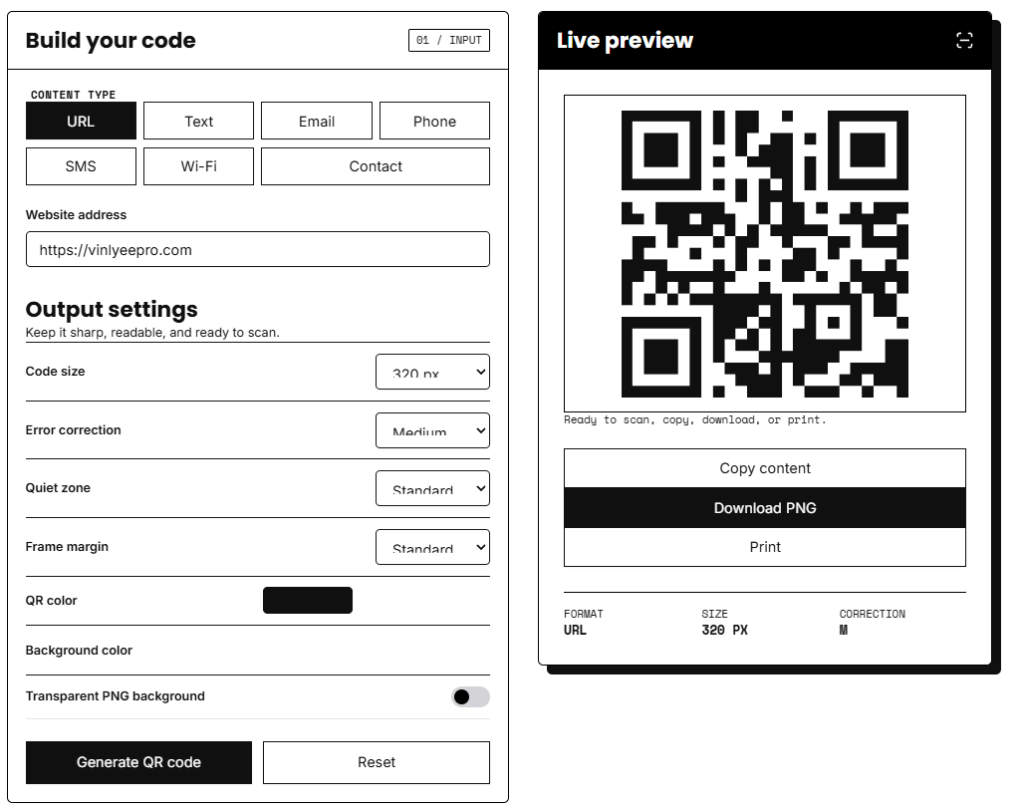
- Paste it into the generator. In the Vinlyee Pro QR code generator you paste the URL and the code appears instantly.
- Go dark on light. Black or deep navy squares on white is the safest pairing. Keep error correction on M unless you’ll add a logo or print on a rough surface, since M is the usual choice for general use.
- Download the right format. SVG is recommended for print because it stays sharp at any size. Use PNG for web pages and social posts.
- Test it. Scan the file on screen now and the printed copy later. Both iPhone and Android scan QR codes in the native camera app, so nobody has to install anything.
Static vs dynamic QR code: the choice that decides whether it lasts
Whichever URL to QR code tool you use, it will ask you this sooner or later.
| Static | Dynamic | |
|---|---|---|
| Where the link lives | Inside the pattern | On the vendor’s redirect server |
| Change the link after printing | No | Yes |
| Scan analytics | Only in your own site analytics | In the vendor’s dashboard |
| Stops working when | Your page goes offline | The vendor switches the redirect off |
| Privacy | No middleman | Every scan passes through a third-party server |
A static code bakes the URL into the pattern, while a dynamic one encodes a short redirect you can edit later and adds analytics. The catch is what happens when the vendor relationship ends. One major generator’s own support page says dynamic codes made during its 14-day trial are deactivated when it ends, while static codes keep working. Print 5,000 flyers with a trial-era dynamic code and you’ve printed 5,000 dead squares. Another page-one generator sells even static codes by subscription and warns that free tools tend to expire, watermark or cap codes.
My rule: if the destination won’t change, use static. If it might, don’t hand the redirect to a stranger. Point a static code at a short page on your own domain, like yoursite.com/menu, and change where that page sends people. You keep the flexibility and nobody else’s server sits in the middle.
Make your URL to QR code scan every time
Most failed scans come down to five things, and none of them is the generator.
- Size. About 2 × 2 cm (0.8 in) is the floor for codes read at arm’s length. Further away, use the 10:1 rule: divide the scanning distance by ten to get the minimum width. A flyer read at 30 cm needs about 3 cm, a poster scanned from 1 m needs 10 cm, and a shop window scanned from 3 m needs 30 cm.
- Quiet zone. Keep a blank border at least four modules wide on every side, and go to six or eight on busy designs. One size guide calls this margin the most common reason codes fail.
- Contrast. Dark code, light background, and at least a 4:1 contrast ratio. Pale pastels on white look nice and scan badly.
- Density. The more characters in the link, the smaller each square gets at a fixed print size. Shorten the link before you blame the printer.
- A real test. Print one copy on the actual material and scan it with three different phones before the full run.
Putting the code on a flyer? Export your artwork at the exact millimetre size with the Photo Resizer, which switches between pixels, millimetres, centimetres and points. If the printer wants one file, combine your pages with the Merge and Split PDF tool.
Shorten and tag the link before you encode it
The hard ceiling is around 2,900 characters, but long links get dense and hard to scan from a distance, and one vendor suggests a short redirect once a link passes about 200 characters.
You can still measure a static code without a dynamic dashboard. Before you convert the URL to QR code, add UTM parameters:
https://example.com/menu?utm_source=qr&utm_medium=print&utm_campaign=window-sticker
GA4 needs at least a source and a medium, a campaign name keeps reports readable, and values are case-sensitive, so stay lowercase. Your own analytics then show “qr / print / window-sticker” with no third party involved. If the tagged link is too long, put a short redirect on your own domain and encode that.
Safety and privacy: what most generator pages skip
QR codes have a trust problem, and the numbers show why. Microsoft counted 7.6 million QR-code phishing attacks in January 2026 and 18.7 million in March, a 146% rise. In the UK, Action Fraud logged 784 quishing reports between April 2024 and April 2025, with almost £3.5 million lost, in places like parking meters, railway stations and restaurant menus. Around four in ten people cite security worries as their main reason for not scanning.
So make yours easy to trust. Print the domain in plain text under the code and use your own domain instead of an unknown shortener. Check that printed codes haven’t been covered, because attackers stick fake codes over real ones on parking meters, menus and posters.
If your readers are in Europe there’s a privacy angle too. A dynamic code routes each scan through a server that records the visitor’s IP address, approximate location, device and timestamp, and since the 2016 Breyer ruling EU law has generally treated IP addresses as personal data. A static code has no tracking layer of its own, though your destination site’s analytics still count, so keep your privacy policy honest. This isn’t legal advice. It matters more each year: Bitly’s data shows Europe with the biggest regional rise in scan rates, 42% from 2024 to 2025.
Do you need a generator at all?
For the page you’re already on, Chrome has one built in: click Share in the address bar (or right-click the page) and choose Create QR code. On a phone it’s in the share menu. It only covers the open page, so for a PDF, a Google Form, a WhatsApp link or any address you haven’t opened, a generator is faster.
Frequently Asked Questions
How do I turn a URL to QR code for free?
Paste the link into a free generator, download the image and test it. A static code costs nothing to keep.
Do QR codes expire?
The image never does. A static code works while your page is online. A dynamic code stops if the vendor switches its redirect off, for example when a trial ends.
How long can the link be?
Technically almost 3,000 characters, but shorter is always better for print, and scanning gets fragile past about 200.
Can I change the link after printing?
Only with a dynamic code, or with a static code that points to a page on your own domain.
A good URL to QR code comes down to four decisions: check the link, choose static unless you really need edits, size the code for the scanning distance, and test the printed copy. Get those right and it keeps working long after the flyer goes up. Turn your link into a QR code now, and use the Photo Resizer when you prepare the print file.